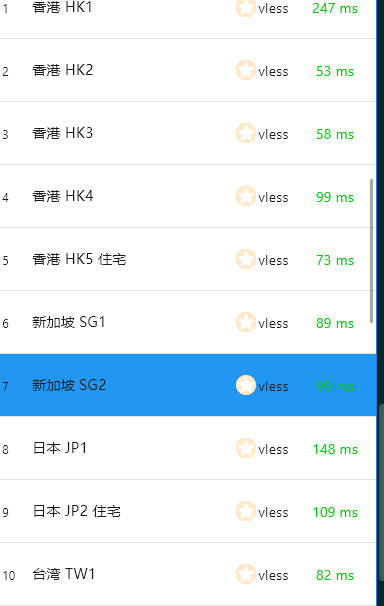
What Is Karing VPN? #
Karing is a VPN application built on the Clash core, with support for Windows, macOS and Android. It lets you change the IP address you use to access the internet. For example, if ChatGPT is not available in your country, Karing can help you reach it. Karing is similar to tools such as V2rayNG, Sing-Box, Clash for Windows, Clash.Meta, Hiddify, V2Box, Shadowrocket, Stash, Surge, mahsang and nekobox, but it adds many new features, helps hide your identity online, and is faster than a traditional VPN. If you need a more stable and secure network, we recommend using paid proxy nodes. Karing supports almost every proxy protocol, including Shadowsocks, VMess, VLESS, Reality, Trojan and Hysteria2.
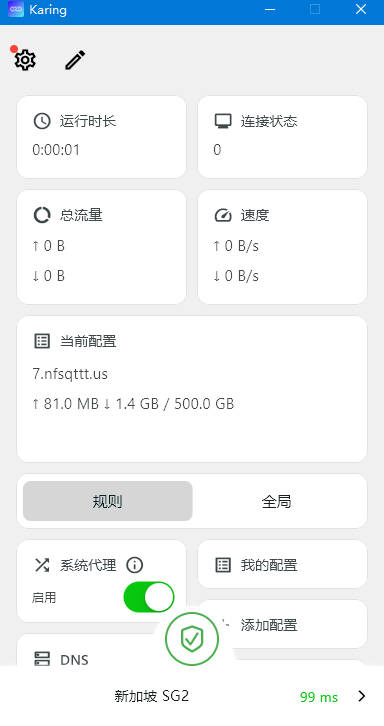
Download Karing VPN #
| Platform | Download Link |
|---|---|
| Android | karing-1.2.2.844-android |
| Windows | karing-1.2.2.844-windows |
| iOS | Use a shared Apple ID |
| macOS | karing-1.2.2.844-mac |
Recommended Proxy Services (Airports) #
- The services below are billed by traffic, and each website includes its own setup and installation tutorial.
- Once you buy a data plan there is no time limit — the plan lasts until your traffic runs out.
- If a website will not open, it has likely been blocked; simply try one of the other websites.
| Name | Price | Data | Nodes |
|---|---|---|---|
| Mojie | ¥1 | 1 GB | 30 |
| NetExpress | ¥7 | 20 GB | 54 |
| Niubi | ¥14 | 200 GB | 31 |
| FeiTu | ¥30 | 100 GB | 80 |
| Nongfu Spring | ¥45 | 200 GB | 40 |
| Baobei Cloud | ¥55 | 600 GB | 64 |
| Freedom Cat | ¥89 | 200 GB | 71 |
| fscloud | ¥99 | 1000 GB | 82 |
How to Use Karing VPN #
- Pick an affordable proxy service (airport).
- A plan with no time limit is best — for example, NetExpress.
- Open the homepage, then enter your email and password to register.

- After registering, log in.
- Click the store and purchase a subscription.
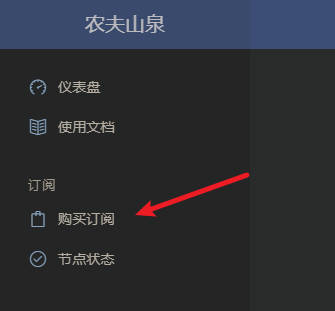
- You will see several plans. Find the ¥7 / 20 GB plan with no time limit.
- Pay by scanning the QR code with Alipay.
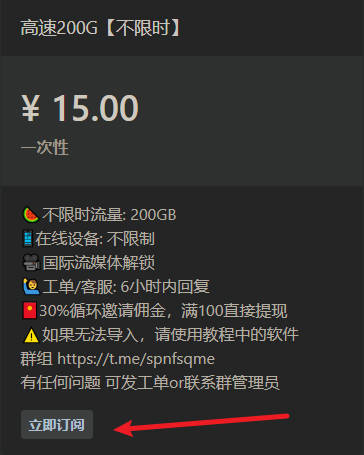
- After payment, click the tutorial in the top-left corner.
- Then click “Universal Subscription” and copy the general subscription link.
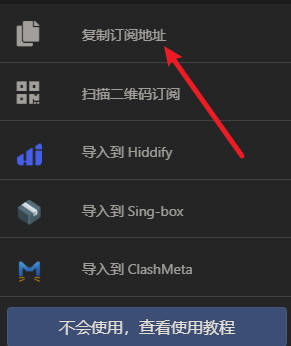
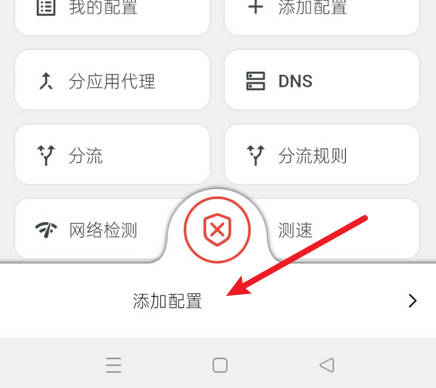
- Open the app, tap “Add Profile”.
- Then tap “Add Profile from Link”.
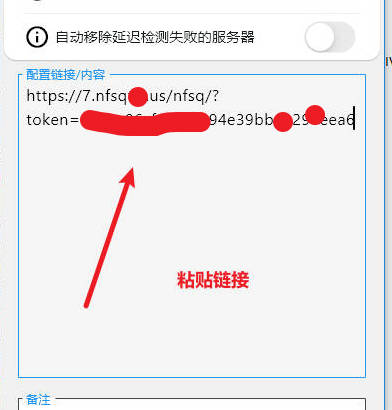
- Paste the subscription link into the blank field, then tap the check mark in the top-right corner to save.
- Once saved, tap the red button to turn on the proxy.
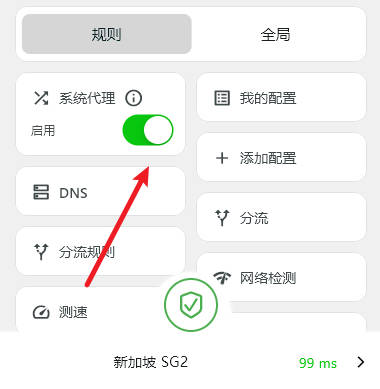
- Tap the arrow in the bottom-right corner to choose a server.